How to Safeguard Yourself Against Identity Theft Today
Identity theft happens when someone uses enough of your personal data to pretend to be you — to access accounts, make purchases, or commit fraud. Today, email and other digital channels are a top way attackers gain that data. Stopping identity theft means reducing how much of your identifying information (email addresses, passwords, payment details) is exposed and blocking the common tactics criminals use, like phishing, credential stuffing, and data aggregation. This guide lays out how identity theft works, simple privacy steps you can use right away, and tools that shrink your digital footprint. You’ll learn why disposable email matters, how strong passwords and multi-factor authentication protect your accounts, and what to do if a breach happens. The advice mixes prevention (account hygiene, privacy habits) with clear remediation steps and a practical checklist you can follow today.
Because data moves so freely online, protecting your personal information now prevents headaches later.
Identity Theft Protection & Data Breach Prevention
A data breach is when sensitive information is exposed or stolen, creating a real risk of identity theft and financial harm. As data sharing grows, so does the chance that personal details will be collected and misused. Policy responses and discussions about ethical data handling aim to reduce those risks and give people more control over their information.
A comparative study of identity theft protection frameworks enhanced by machine learning algorithms, 2024
What Is Identity Theft and How Does It Affect Your Personal Information?
Identity theft is when someone uses your personal data without permission to commit fraud — often targeting bank accounts, services, or benefits. Attackers succeed because personal identifiers (email addresses, passwords, Social Security numbers, payment info) can be collected, reused, and combined across sites after a breach or a social-engineering attack. Knowing how these attacks work helps you focus defenses where they matter most: protect your primary email, use aliases to separate risk, and stop reusing passwords. Recognizing common types of identity theft helps you choose the right protections so a single compromise doesn’t turn into a full identity takeover.
What Are the Common Types of Identity Theft?
Typical forms of identity theft include financial theft, account takeover, synthetic identity fraud, and medical identity misuse — each uses different data and causes different harms. Financial theft uses stolen card numbers or bank logins to make charges or drain accounts, usually noticed through unexpected transactions. Account takeover occurs when attackers gain credentials — often via phishing or credential stuffing — then change recovery settings and lock out the real owner. Synthetic identity fraud mixes real and fake information to open new accounts, which can harm your credit and is harder to trace. Reducing exposure of email addresses and other credentials cuts the opportunity attackers have to succeed.
How Does Identity Theft Impact Your Digital and Financial Security?
Consequences include unauthorized charges, loss of access to services, damaged credit reports, and long, stressful recovery processes. If attackers control your email, they can reset passwords on linked accounts, impersonate you, and widen the damage across services. Recovering from identity theft often means disputing charges, updating dozens of accounts, and repairing credit marks — a process that takes time and can cost money. That’s why prevention — segmenting contact points and using strong authentication — is far easier than fixing the fallout afterward.
How Can Temporary Email Services Help Prevent Identity Theft?
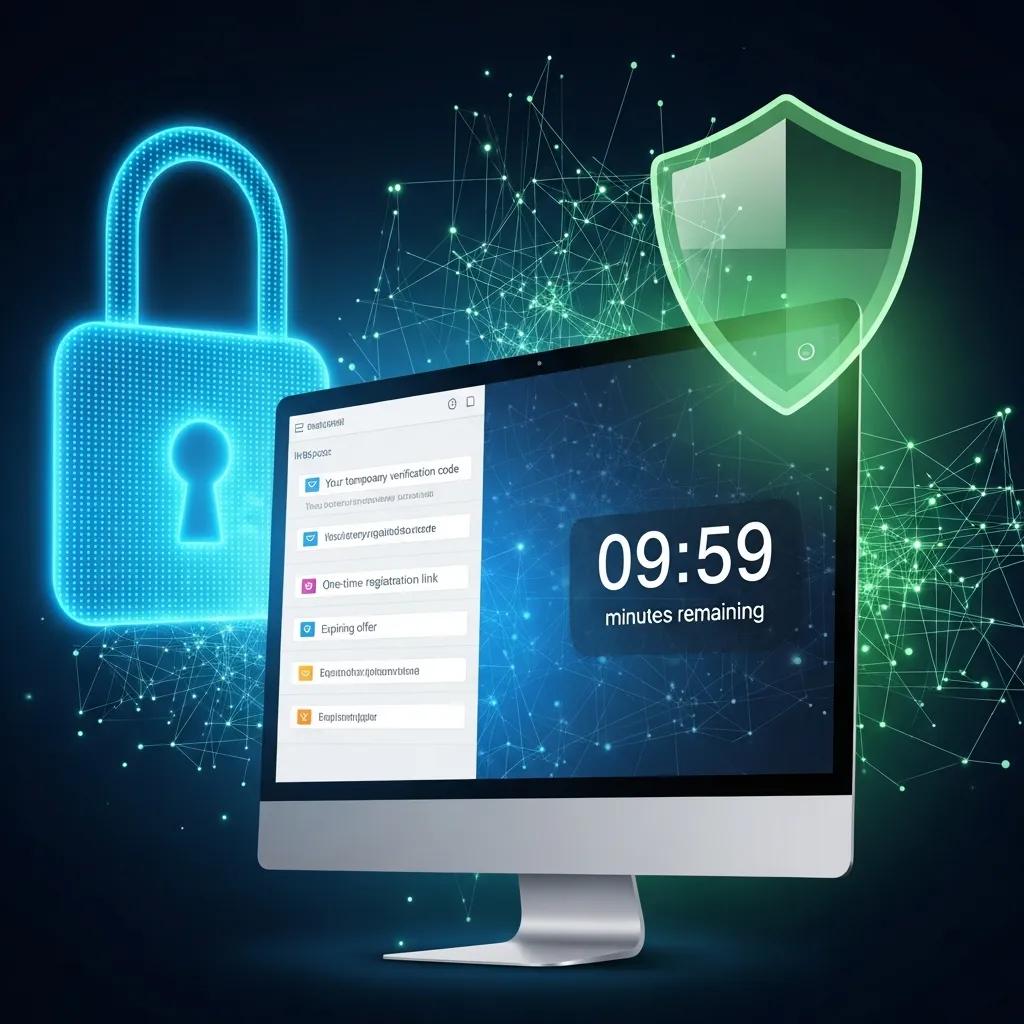
Temporary email services give you short-lived, disposable inboxes that hide your primary address and reduce the long-term personal data tied to online accounts. They create alias addresses or one-off inboxes that accept verification messages and then expire or auto-delete messages, stopping tracking and long-term profiling by marketers and attackers. The key benefit is containment: if a temporary address is exposed, it’s worthless for recovering your main accounts or receiving ongoing messages. Using disposable email for one-time signups and trials is an easy privacy layer that works with strong passwords and MFA to lower your overall risk.
TempoMailUSA provides a free, simple temporary email service built for privacy: instant disposable inboxes, no signup or personal data required, automatic message deletion, and protection from spam and tracking — perfect for one-time sign-ups, verifications, and testing.
Matching temporary email features to privacy goals helps you pick the right option for every task.
| Feature | Characteristic | Privacy & Security Value |
|---|---|---|
| No signup / anonymity | No personal data required | Prevents addresses from linking back to you |
| Auto-deletion | Messages removed after a set time | Reduces long-term data retention and exposure |
| Instant disposable inbox | One-off email generated instantly | Ideal for single verification flows |
| Spam & tracker blocking | Filters and blocks tracking pixels | Lowers profiling and targeted attacks |
These features show how disposable emails — especially no-signup and auto-delete — cut persistent identifiers that attackers or trackers rely on. Use temporary addresses for low-value signups and keep your main inbox for critical messages.
What Are the Benefits of Using Disposable Email for Online Privacy Protection?
Disposable email reduces spam, shrinks the tracking surface, and limits exposure if a service is breached. Using a temporary address for trials or untrusted sites keeps newsletters and marketing out of your main inbox, so important messages don’t get lost. Disposable addresses also make it harder for companies and data brokers to build lasting profiles tied to your real identity, lowering the chance your aggregated data will be sold or exposed. Because many disposable services require no signup, they avoid creating another record that could be targeted in future breaches.
As a rule: use temporary addresses for non-essential or one-time interactions, and reserve your primary email for services that need trusted recovery channels.
How Does Temporary Email Reduce Your Digital Footprint and Spam Exposure?
Temporary emails shrink your digital footprint by giving unique, short-lived addresses that stop cross-site correlation and prevent long-term subscription buildup. When you use an alias, the link between that service and other identifiers (browser profiling, marketing lists) stays isolated to that address, making cross-site profiling harder. Trackers in emails lose value because messages are deleted or images are blocked, and you can discard a disposable address if it starts getting spam. That reduces the amount of personal data stored by others and makes account cleanup after trials much simpler.
Simple workflow: generate disposable address → sign up or verify → discard the address. Do this consistently and you’ll cut the number of persistent identifiers attackers can use.
What Are Effective Online Privacy Protection Methods to Safeguard Personal Information?
Good online privacy combines smart habits, helpful tools, and regular checks to lower both the chance and impact of identity theft. The three core ideas are: limit data exposure, strengthen authentication, and monitor for misuse. Tools like temporary email, password managers, MFA, and VPNs each protect a different layer of your digital life — used together they form defenses attackers must work through one by one. Below is a quick comparison to help you choose which tools to adopt now and which to save for higher-risk situations.
| Tool | Primary Feature | When to Use |
|---|---|---|
| Temporary email | Disposable addresses, auto-delete | One-time signups, trials, testing |
| Password manager | Secure credential storage, unique passwords | All accounts you use regularly |
| Multi-Factor Authentication (MFA) | Second verification factor | Important accounts that hold sensitive data |
| VPN | Encrypts network traffic | Public Wi‑Fi or other untrusted networks |
No single tool stops everything. Pair temporary emails to limit exposure with a password manager and MFA to protect credentials — that layered approach is both practical and powerful. Next, we’ll look at how passwords and MFA work together to harden accounts.
How Do Strong Passwords and Multi-Factor Authentication Enhance Account Security?
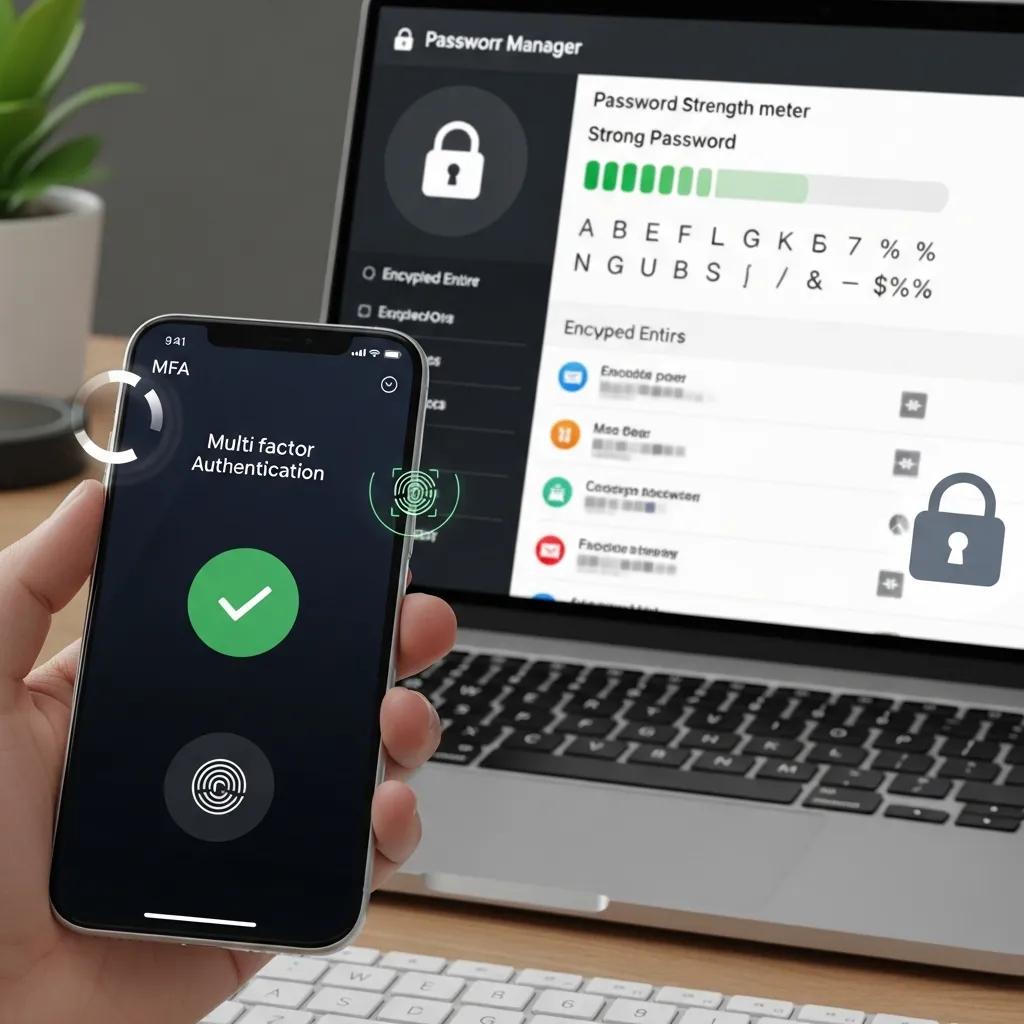
Unique, complex passwords stop credential-stuffing attacks that reuse leaked credentials. Password managers make creating and storing strong, site-specific passwords easy. They encrypt a vault of credentials behind one master password, so you don’t have to memorize dozens of passwords and you avoid reuse. Multi-factor authentication adds a second verification step — an authenticator code, SMS, or hardware key — which blocks attackers who only have a stolen password. Together, unique passwords and MFA drastically lower the chance of account takeover and should be enabled for email, banking, and any service that stores personal data.
How to start: enable MFA wherever it’s offered, move passwords into a manager, and use disposable emails for accounts that don’t need trusted recovery channels. The next section covers phishing, which tries to steal those credentials directly.
What Are Best Practices for Recognizing and Avoiding Phishing Scams?
Phishing succeeds when you rush and click. Watch for suspicious sender addresses, URLs that don’t match the site they claim to be, and messages that pressure you to act right away. Phishers use urgency, familiar-looking names, and spoofed domains to trick you into entering credentials or downloading malware. Best practices: check the sender address carefully, hover over links to see where they go before clicking, confirm sensitive requests through a second channel, and report suspicious messages. If you think you clicked a phishing link, disconnect, change affected passwords on a secure device, and scan for signs of compromise.
Learning how these scams operate is one of the best defenses — phishing is still a top entry point for identity fraud.
Combating Phishing Scams & Online Identity Fraud
Phishing is a common form of online identity fraud where attackers send an email pretending to be a trusted organization — a bank, payment service, or other provider — to trick recipients into entering personal information on a fake website. These emails often link to sites that look nearly identical to the real ones, with the goal of harvesting account numbers, passwords, or credit card details.
Identity theft in cyberspace: Crime control methods and their effectiveness in combating phishing attacks, 2005
Make pausing and verifying a habit before entering credentials. Combine that caution with disposable email for non-essential accounts to reduce how many phishing targets are tied to your real identity.
How Can You Reduce Your Digital Footprint to Prevent Identity Theft?
Reducing your digital footprint means limiting what personal data exists online and how it can be linked across services. Fewer data points make it harder for attackers to build a complete profile and impersonate you. Start by auditing accounts, removing unnecessary profile details, opting out of data broker lists where possible, and using aliases for low-value interactions. This “collect less” approach shrinks your attack surface and makes recovery easier if a breach happens because there are fewer accounts and recovery paths to fix.
What Strategies Help Minimize Personal Data Exposure Online?
Begin with an account inventory: list sites where you’ve used your email, phone, or identity documents, then close or anonymize accounts you don’t need. Tighten privacy settings, remove optional fields like birthdate or full address when they aren’t required, and use disposable emails for newsletters, contests, and single-use signups. Consider a secondary phone number for non-essential services. Regularly search your name and primary email in breach-detection tools to see where your data may already be exposed and take action where necessary.
These steps reduce the places attackers can collect enough data to impersonate you and create a sustainable routine for keeping exposure low.
How Does Data Minimization Lower the Risk of Data Breaches?
Data minimization limits the amount of personal information that third parties store about you, which lowers the harm if a service is breached. With less stored data, attackers have fewer identifiers to combine into a usable profile — making account recovery attacks and synthetic identity fraud harder. From a systems perspective, less stored PII reduces the attack surface; from a practical perspective, smaller profiles are quicker to monitor and restore if something goes wrong.
Focusing on data minimization — keeping only what’s necessary — is a simple but effective privacy principle.
Reduce Digital Footprint for Data Privacy
Clearing cookies, cache, and browser history reduces the amount of personal data stored on your device. You can also contact sites to request deletion of your data. Data minimization — collecting and keeping only what’s necessary — is a key privacy practice.
Reducing our Digital Footprint: A guide to protecting your digital data and privacy
Adopting a minimization mindset helps you decide which services deserve long-term trust and which should use disposable contacts instead.
What Steps Should You Take If Your Identity or Email Is Compromised?
If your identity or email is compromised, quick containment and recovery reduce long-term damage: secure accounts, change passwords, enable MFA, notify banks and providers, and monitor credit and accounts for fraud. Acting fast cuts off attackers’ access — for example, changing your primary email password can stop unauthorized password resets. Start by regaining control of recovery points (primary email and phone), then dispute unauthorized transactions and notify affected services. Below is a short, prioritized checklist you can follow immediately.
- Change passwords on the affected email and any accounts that share those credentials.
- Enable multi-factor authentication on all recovery and high-value accounts immediately.
- Check account recovery settings and remove unknown forwarding rules or linked devices.
- Contact banks or payment processors about unauthorized transactions and place fraud alerts.
- Monitor credit reports and consider identity protection services if financial data was exposed.
These steps focus on containment and creating a record of actions, which helps when disputing fraud. The table below maps each affected entity to the best immediate action and expected recovery time.
| Affected Entity | Immediate Action | Expected Recovery Time |
|---|---|---|
| Email account | Change password, enable MFA, remove forwarding | Hours to days |
| Financial accounts | Freeze/notify bank, dispute transactions | Days to weeks |
| Social accounts | Reset passwords, review logins/devices | Hours to days |
| Credit history | Place fraud alert, monitor reports | Weeks to months |
Start with email and financial accounts — they usually have the most urgent consequences and should be addressed within hours when possible. The next section explains how disposable email can limit damage after a breach.
How to Respond to a Data Breach Involving Your Email Address?
If your email address appears in a breach, treat it as a possible credential for account takeover and secure any linked accounts right away. Change passwords and enable MFA on accounts that use the breached email for recovery, and check account recovery settings for changes attackers might have made (alternate emails or phone numbers). Use breach-search tools to see which services were affected, and contact banks first if payment information was involved. Review your inbox for suspicious password-reset or account-change messages you didn’t authorize and report them to providers.
Acting quickly reduces the chance attackers can pivot from an exposed email to full access. After securing accounts, keep monitoring closely for several months because attackers sometimes try delayed exploitation.
How Does Using Temporary Email Limit Damage After a Breach?
Disposable email limits damage because addresses used for one-time or low-value interactions aren’t recovery channels for important accounts and can be discarded if exposed. If a service you signed up for with a temporary address is breached, attackers only get that alias and its messages — not your primary inbox or linked financial accounts. That containment prevents many account-takeover scenarios that rely on email-based recovery and reduces the phishing volume directed at your main contact. In short, a disposable address gives attackers far less leverage than a primary inbox credential.
Disposable addresses are both a preventative and reactive tactic: they reduce exposure up front and make remediation simpler if an alias is compromised.
What Are Additional Safeguards Against Digital Identity Theft Beyond Email Protection?
Email protections are essential but not everything. Add credit monitoring, device and network security, legal rights, and insurance or recovery services for a full defense. Credit monitoring spots new accounts or inquiries that email defenses can’t prevent, while device protections and regular updates fix vulnerabilities attackers might exploit. Privacy laws and breach-notification rules give you tools to demand remediation, and identity-theft services can speed recovery. Combining these measures fills gaps left by email-focused tactics and builds stronger resilience against identity theft.
How Do Credit Monitoring and Fraud Alerts Complement Online Privacy Methods?
Credit monitoring watches for new accounts or inquiries that may signal fraud, catching problems email defenses don’t. Fraud alerts force lenders to verify identity before approving new credit, adding a barrier for attackers. Monitoring services send early warnings you can act on quickly — critical because financial misuse sometimes appears well after a breach. Used together with disposable emails and strong authentication, these tools form a layered approach that addresses both the cause and the consequence of identity theft.
Proactive prevention plus monitoring ensures that even if an attacker gets identifiers, institutional checks slow or stop fraudulent account creation. The next section explains how privacy laws support consumer protection.
What Role Do Privacy Laws and Regulations Play in Protecting Personal Information?
Privacy laws and breach-notification rules require companies to disclose incidents and often grant consumers rights like access, correction, and deletion. These rules push organizations to report breaches promptly and take steps to remediate harm, which helps affected people respond sooner. Knowing your rights — how to request data access or file complaints — helps you enforce remediation and hold services accountable. Laws differ by jurisdiction, so check national and state rules to understand what protections apply to you.
Regulation doesn’t replace personal safeguards, but it provides an important safety net for remediation and accountability.
TempoMailUSA provides a free, easy temporary email service built around privacy: instant disposable inboxes, no signup or personal data required, automatic message deletion, and protection from spam and tracking — useful for one-time sign-ups, verification, and testing.
Use the checklist and tools above as a practical privacy toolkit: shrink data footprints, use disposable emails for low-value interactions, secure critical accounts with unique passwords and MFA, monitor credit and accounts, and act fast if compromise occurs. These layered steps lower your risk of identity theft and make recovery simpler if something does go wrong.
Frequently Asked Questions
What should I do if I suspect my identity has been stolen?
If you think your identity was stolen, move quickly. Secure your accounts by changing passwords and enabling multi-factor authentication (MFA). Contact your bank and credit card companies about any unauthorized transactions. Place a fraud alert on your credit report to block new accounts from being opened in your name. Monitor statements and credit reports closely, and keep a dated record of every step you take — that documentation helps with disputes and recovery.
How can I monitor my online presence for potential identity theft?
Keep an eye on your social accounts, email, and financial statements for unusual activity. Set up alerts (like Google Alerts) for your name or email, and consider an identity monitoring service that notifies you if your data appears in breach databases. Regular reviews of accounts and vigilance about your digital footprint help you catch problems early.
What are the signs that my personal information has been compromised?
Warning signs include unfamiliar bills or credit-card charges, unexpected account changes, or alerts about new accounts opened in your name. You might get password-reset emails you didn’t request or calls from debt collectors for debts you didn’t incur. If you spot anything odd, investigate promptly to limit damage.
Can I recover my identity after it has been stolen?
Yes — recovery is possible but can take time. Start by securing accounts and reporting the theft to banks and credit bureaus. You may need to file a police report and submit a complaint to the FTC (or your local authority). Dispute fraudulent charges, monitor your credit report, and stay organized. Being proactive and patient will help you regain control.
What role do credit freezes play in preventing identity theft?
A credit freeze stops lenders from accessing your credit report without your permission, which makes it hard for attackers to open new accounts in your name. You can lift the freeze temporarily when you need to apply for credit. It’s a strong preventive step to protect your financial identity.
How often should I change my passwords to enhance security?
Change passwords immediately if you suspect a breach. For routine maintenance, aim to update sensitive-account passwords every three to six months. More importantly, use unique, complex passwords for each account and store them in a password manager — that removes the burden of remembering them and prevents reuse.
What additional steps can I take to protect my personal information online?
Use a VPN on public Wi‑Fi, enable two-factor authentication (2FA) on every account that supports it, and be cautious about what you share on social media. Regularly audit your accounts, remove unnecessary personal details, and use temporary email for non-essential signups. Staying informed and adopting practical privacy habits will greatly reduce your risk.
Conclusion
Protecting yourself from identity theft is about smart habits and simple tools. Use disposable email for one-off signups, rely on a password manager and MFA to secure important accounts, and monitor your credit and accounts for signs of misuse. Acting proactively reduces both your risk and the time it takes to recover if something happens. Start with a few of these steps today and build a privacy routine that fits your life.