


Where Does Your Money Actually Go? The Case for Tracking Expenses in 2026
How to track expenses comes down to one simple habit: record every purchase the same day it happens — or let an app do it automatically — then review your totals once a week.
Here’s the fastest way to get started:
- Choose a method — a free app, Google Sheets, or a notebook
- Set up 8–12 spending categories — like groceries, dining out, housing, and subscriptions
- Log every transaction within 24 hours
- Do a 10-minute review every week to spot patterns
- Run a full monthly review to compare what you spent vs. what you planned
That’s the whole system. Everything else is just refinement.
Most people have no idea where their money goes. And that’s not a character flaw — it’s a visibility problem.
Research consistently shows that the average person can’t estimate their monthly food spending within $200 without looking at actual records. And most households are quietly leaking $50–$150 a month on forgotten subscriptions alone.
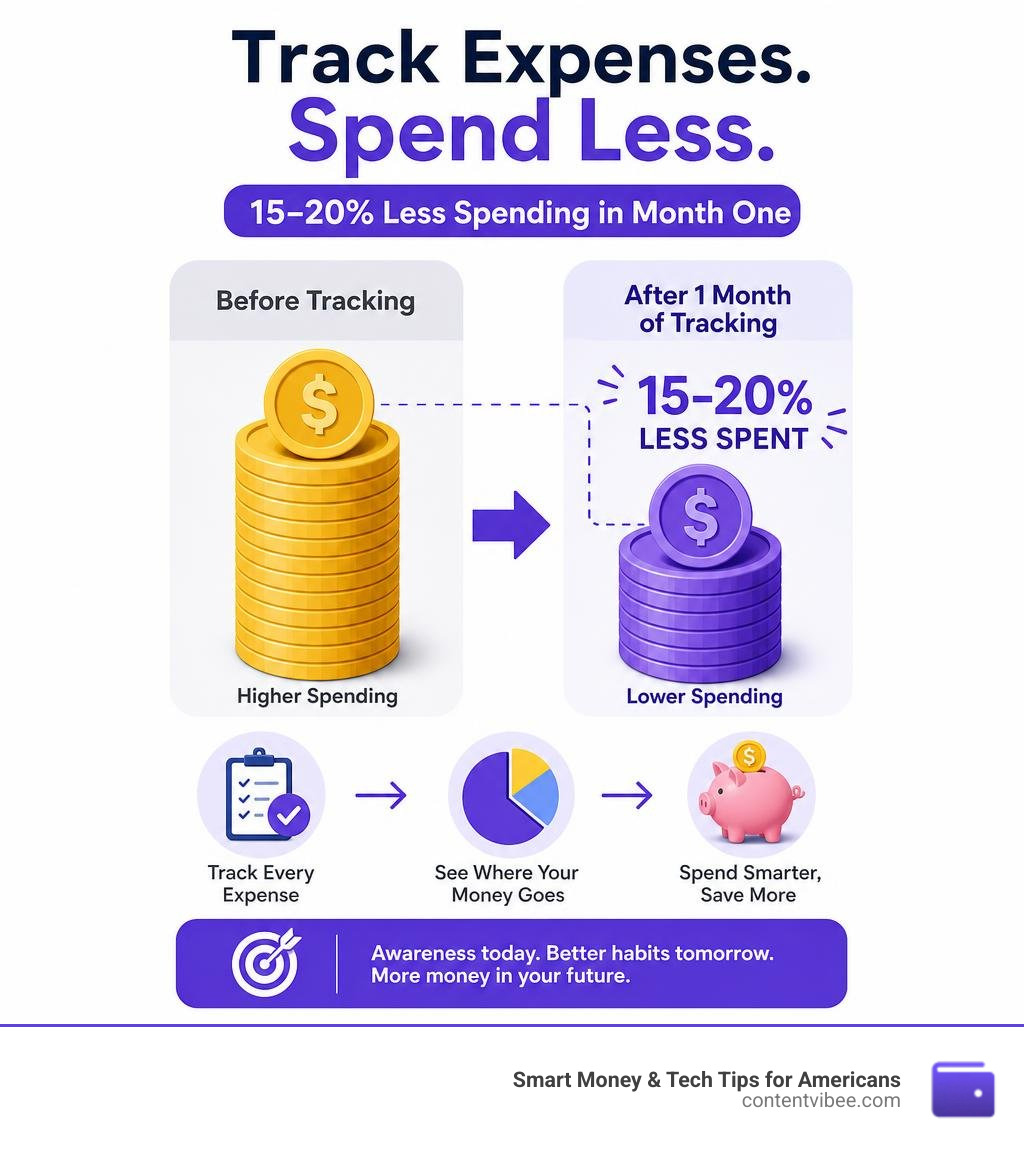
The good news? Just seeing the numbers changes behavior. Studies suggest people typically reduce spending by 15–20% in their very first month of tracking — not because they went on a strict budget, but simply because the data made invisible habits visible.
Whether you’re a few years from retirement or already there, knowing exactly where every dollar goes isn’t about restriction. It’s about financial confidence — and making sure your money is working as hard as you are.
How to track expenses terminology:
Tracking vs. Budgeting: Understanding the Difference
Many people treat “tracking expenses” and “budgeting” as the exact same thing. But confusing the two is one of the main reasons people get overwhelmed and quit.
Think of it this way: budgeting is your game plan, while expense tracking is the game film. A budget is forward-looking; it is a plan for where you want your money to go. Expense tracking is backward-looking; it is the concrete record of where your money actually went.
You cannot build a realistic game plan without watching the game film first. If we try to build a budget before we understand our actual spending habits, we are essentially guessing. This is why we recommend tracking your expenses without judgment for at least 30 days before setting strict budget limits.
| Feature | Expense Tracking | Budgeting |
|---|---|---|
| Focus | Past and present transactions | Future spending limits |
| Primary Goal | Awareness, pattern recognition, and accurate data | Wealth building, debt payoff, and cost control |
| Frequency | Daily logging, weekly check-ins | Monthly planning, quarterly adjustments |
| Mindset | “Where did my money go?” | “Where should my money go?” |
When we track our expenses, we gain the raw material needed for smart financial control and decision-making. We transition from financial anxiety (“Can I afford this?”) to data-driven confidence (“I know exactly how this purchase fits into my monthly cash flow”).
To dive deeper into setting up this foundation, check out our guide on How to Track Your Monthly Expenses: 8 Tips to Try.
How to Track Expenses: Choosing Your Method in 2026
The global expense management software market is projected to reach $8.45 billion in 2026. This massive growth tells us one thing: the world is moving rapidly away from paper receipts and shoe boxes toward real-time, automated tracking.
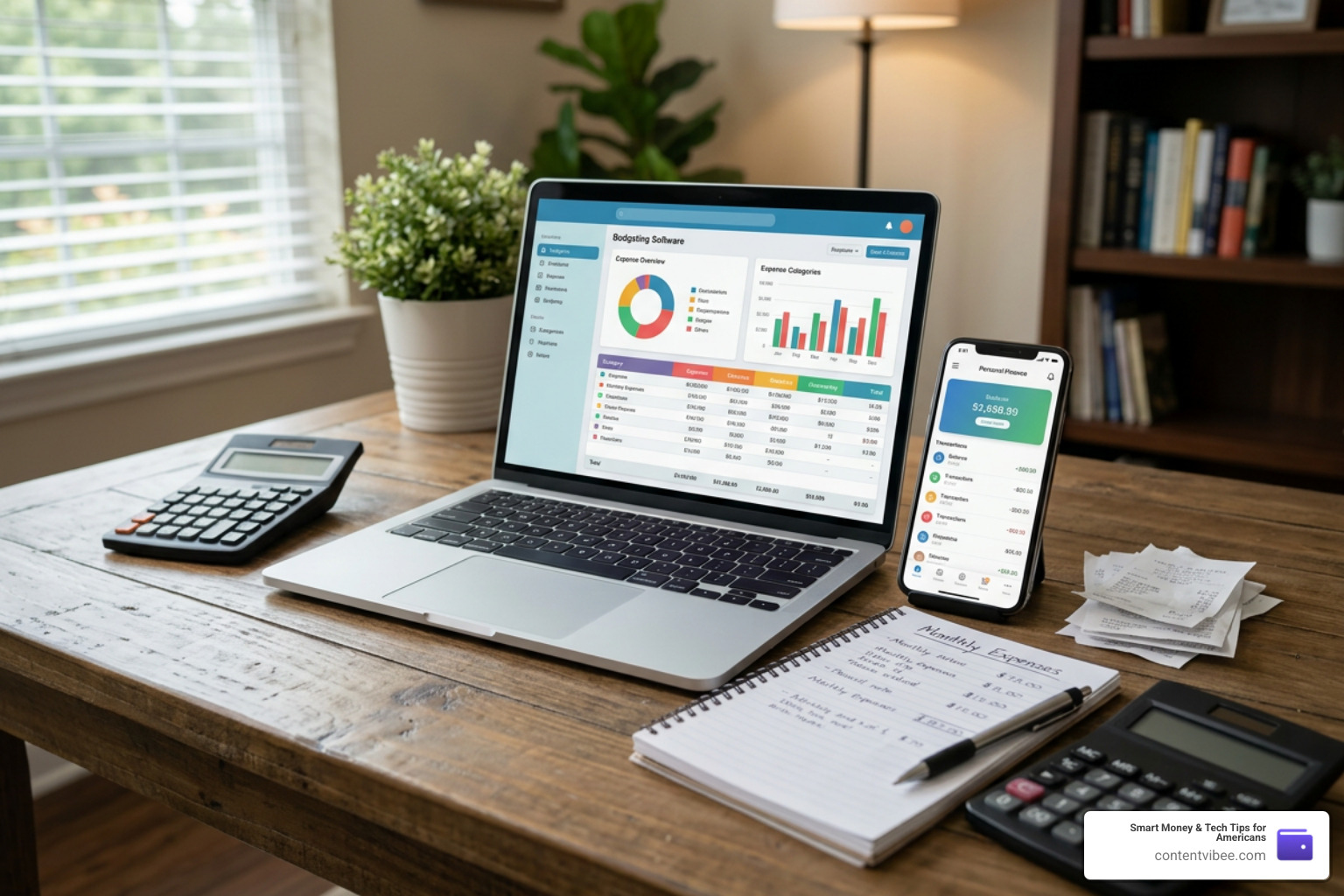
When choosing your tracking tool, you are balancing a trade-off between automation and data ownership/privacy.
Some people want an app that connects directly to their bank accounts, pulling and categorizing transactions automatically. Others prefer the absolute privacy and customization of a spreadsheet, refusing to share their financial credentials with third-party software.
If you are looking for the absolute simplest starting point, you might ask: What’s the simplest way to track my expenses? The answer depends entirely on your personal style. Let’s break down the two primary modern methods.
How to Track Expenses with Digital Apps
For most Americans in 2026, an AI-powered mobile app is the easiest entry point. Modern apps take the manual labor out of tracking by utilizing real-time bank syncing, receipt scanning, and smart categorization.
With receipt scanning, you can simply snap a picture of a paper receipt, and the app’s optical character recognition (OCR) will automatically extract the merchant, date, tax, and total amount. This completely eliminates the classic “receipt clutter” on your kitchen counter.
Furthermore, automated apps leverage machine learning to categorize your transactions. If you buy coffee at a local shop, the app recognizes the merchant and tags it as “Dining Out” or “Coffee” instantly. This reduces your ongoing maintenance time to just a couple of minutes a week.
If you want to explore the top digital solutions on the market today, take a look at our curated lists of the Easiest Budgeting Apps to Kickstart Your Savings Journey and the Top Budgeting Apps and Free Money Management Tools to Save Your Wallet.
How to Track Expenses with Spreadsheets and Manual Logs
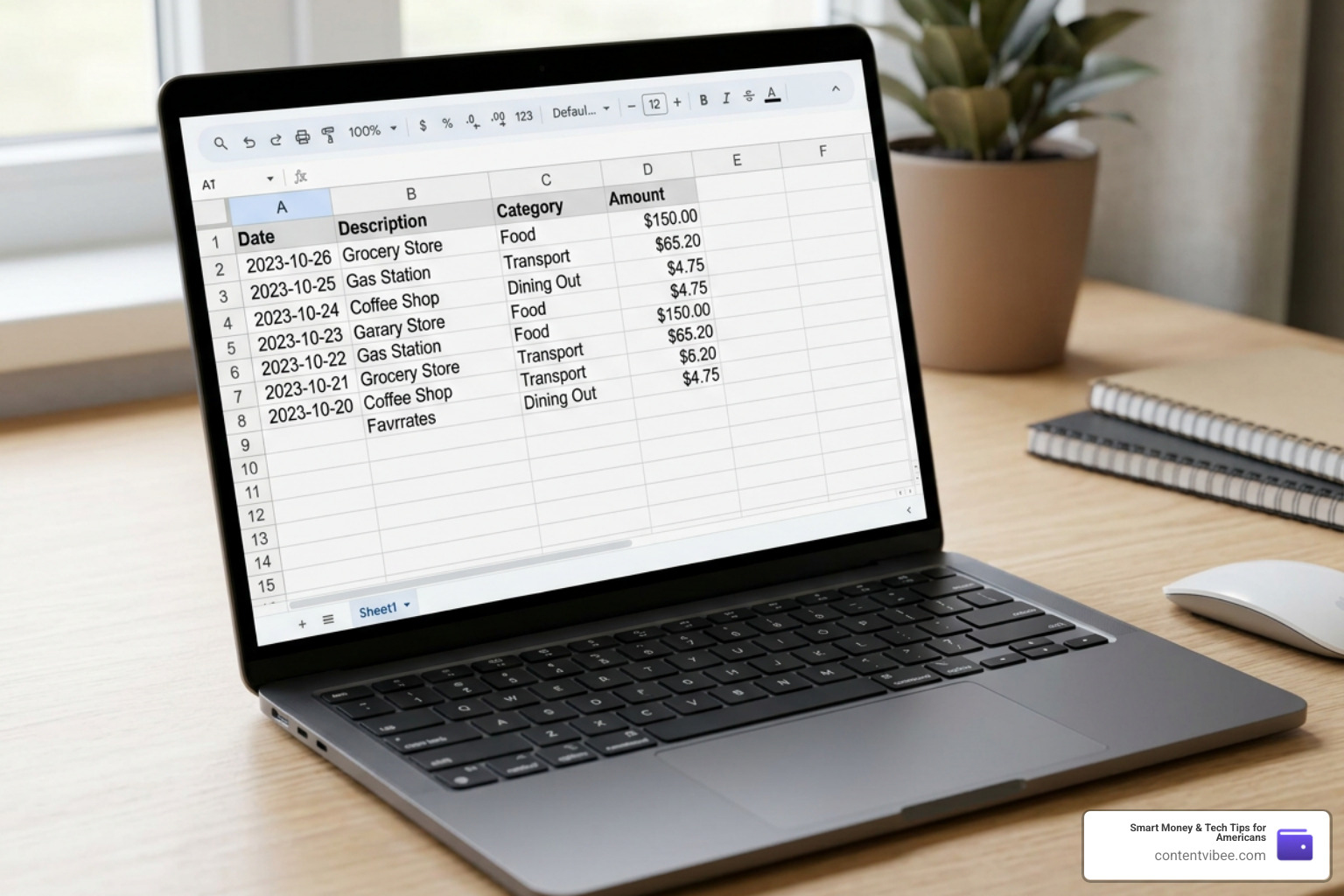
While apps offer unmatched convenience, spreadsheets (like Google Sheets or Microsoft Excel) remain the preferred tool for personal finance purists.
Why? Because spreadsheets give you complete data ownership and infinite customization. You don’t have to worry about an app changing its interface, going out of business, or charging a monthly subscription fee.
Additionally, there is a psychological benefit to manual entry. When you have to physically type in that you spent $45 on takeout, you feel the financial friction. This manual touchpoint naturally triggers the Hawthorne effect: the simple act of observing and recording your behavior causes you to improve it.
If you are worried that manual entry will take hours, don’t be. Batch-entering 20 to 40 weekly transactions from your bank statement into a well-designed spreadsheet takes less than 10 minutes once you get the hang of it. You can learn more about building your own manual system in our comprehensive guide on How to Track Expenses.
Step-by-Step Guide to Setting Up Your Expense Tracker
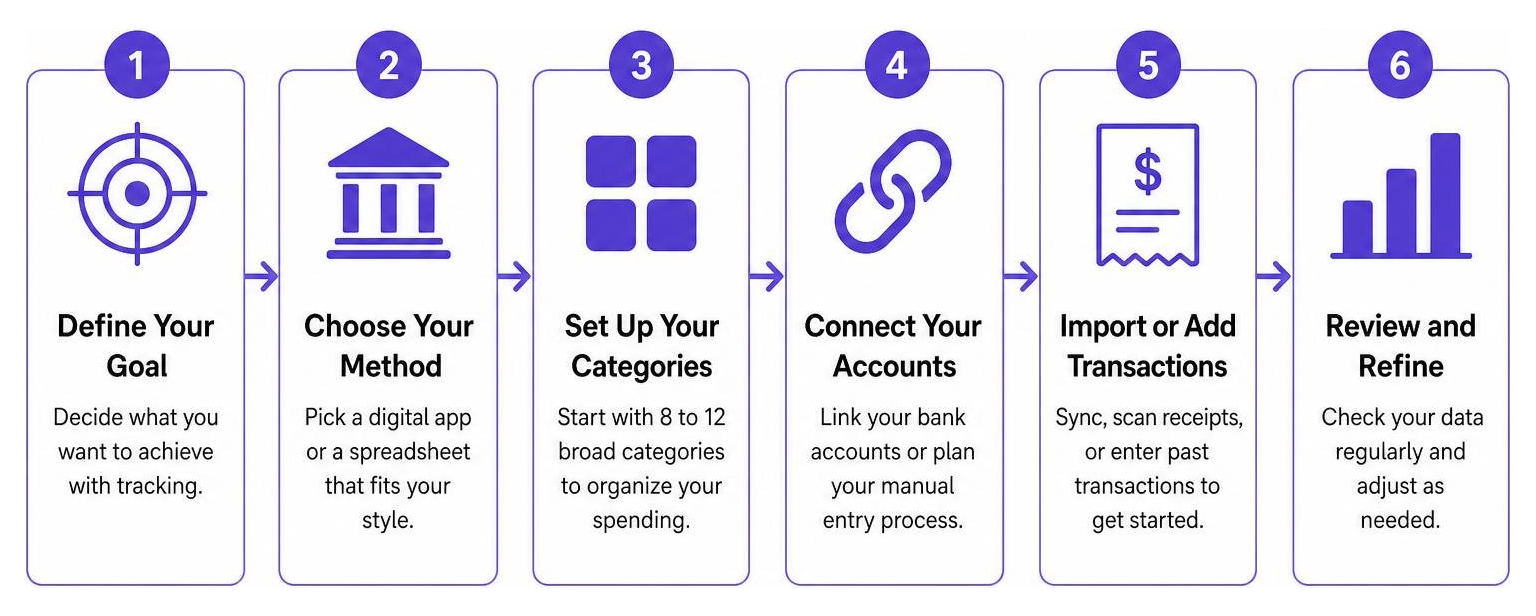
Ready to build your system? Whether you choose an app or a Google Sheet, the setup process follows the same core steps.
To help you visualize the process, here is a simple step-by-step framework to get your tracker up and running in under 15 minutes:
If you are a student or setting this up for a younger family member, you might also find our guide on Smart Budgeting Apps to Keep College Students Out of Debt highly useful.
Organizing Your Spending Categories
To prevent “category sprawl”—where you have 40 different categories and don’t know where to log a simple Target run—we recommend starting with 8 to 12 broad categories. You can always split them into subcategories later once you have 60 to 90 days of clean data.
A highly effective way to organize these categories is by aligning them with the popular 50/30/20 budgeting rule:
- Needs (50% of take-home pay): These are your non-negotiable fixed and variable survival costs.
- Housing & Utilities: Rent/mortgage, electricity, water, internet.
- Groceries: Essential food items (not dining out).
- Transportation: Car payments, gas, insurance, public transit.
- Healthcare: Insurance premiums, prescriptions, doctor copays.
- Wants (30% of take-home pay): These are lifestyle choices that enhance your life but aren’t strictly necessary.
- Dining Out & Entertainment: Restaurants, bars, movies, concerts.
- Shopping: Clothes, home decor, gadgets.
- Subscriptions: Streaming services, gym memberships, app subscriptions.
- Travel: Flights, hotels, vacation spending.
- Savings & Debt Repayment (20% of take-home pay): This is your future-building bucket.
- Emergency Fund: Building your 3-to-6-month runway.
- Retirement/Investing: 401(k) contributions, IRAs, brokerage accounts.
- Extra Debt Payoff: Payments above the minimum on credit cards or student loans.
Establishing a Sustainable Review Routine
The secret to expense tracking isn’t the tool you use; it’s the routine you build. If you only look at your expenses once a month, you are performing a financial autopsy—you are documenting the damage after it’s already done.
Instead, we recommend a tiered review routine that keeps you in the driver’s seat:
- Daily Logging (2 minutes): Take a moment every evening to log any cash transactions or quickly review your app’s automated imports. This keeps the data fresh and prevents a backlog.
- Weekly Spending Check (10 minutes): Every Sunday afternoon, sit down and review your total category spending for the week. Are you overspending on dining out? Did you have an unplanned Amazon shopping spree? Catching these trends early gives you time to adjust your behavior for the rest of the month.
- Monthly Close (20 minutes): On the first Saturday of the new month, total your categories, calculate your savings rate, and compare your actual spending against your goals. Celebrate your wins, identify overages, and make one or two concrete adjustments for the month ahead.
Advanced Tactics: Handling Irregular Costs and Finding Spending Leaks
Once you have mastered the basics of tracking, you can use advanced tactics to optimize your cash flow and protect your savings from unexpected bumps.
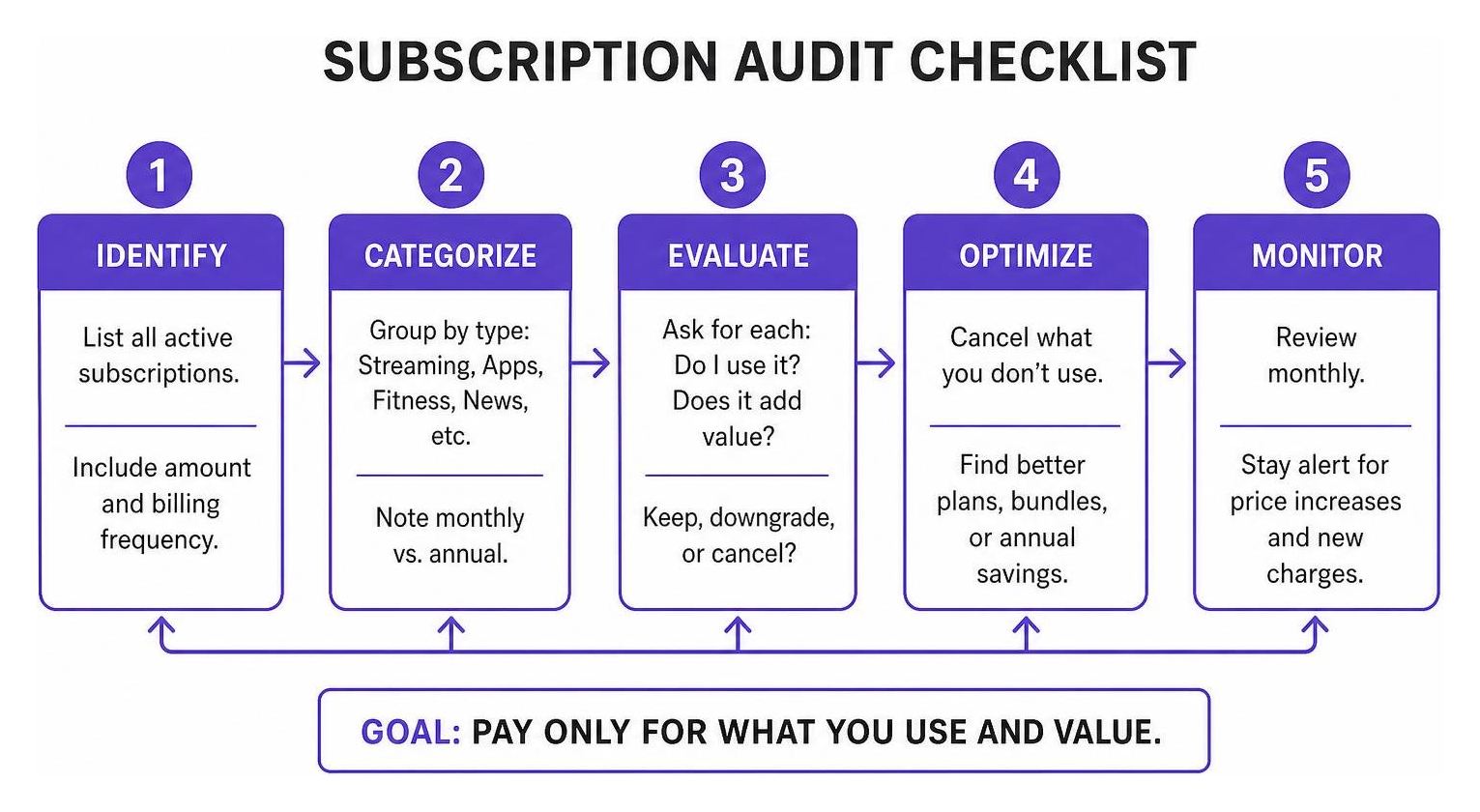
If you are managing finances with a partner, these advanced tactics become even more powerful. Learn how to align your goals in our article on How to Share the Load with the Best Budgeting Apps for Couples.
Managing Sinking Funds and Cash Blind Spots
One of the most common tracking mistakes is forgetting about irregular expenses. These are highly predictable costs that don’t occur monthly—such as annual car registration ($240/year), quarterly insurance premiums, or holiday shopping.
When these bills arrive, people often treat them as “emergencies” and pull from their savings.
The fix? Sinking funds. Take your annual irregular expenses, divide the total by 12, and track that monthly amount as a fixed savings goal. For example, save $20 a month for that $240 car registration. When the bill arrives, the money is already sitting there, tracked and accounted for.
Another major leak is the cash blind spot. Cash spending can easily create a $50–$150 monthly gap in digital trackers because cash doesn’t leave a digital trail. To conquer this, make it a habit to take a quick photo of physical receipts immediately, or log the cash purchase in a simple notes app on your phone the moment it happens.
Conducting a Quarterly Subscription Audit
In 2026, subscription fatigue is real. The average American household significantly underestimates their monthly subscription costs.
We recommend conducting a quarterly subscription audit using your tracking data. Filter your transactions by “Merchant” or “Subscriptions” and list every recurring charge.
Ask yourself:
- Have I used this service in the last 30 days?
- Does this streaming service, gym membership, or software license bring me genuine value?
- Can I downgrade to a cheaper tier or pause it for a few months?
Most households find that a quick quarterly audit easily frees up $30 to $80 a month—which translates to nearly $1,000 in annual savings that can be redirected straight into a high-yield savings account or retirement fund.
Frequently Asked Questions about Expense Tracking
Let’s clear up some of the most common questions beginners have when learning how to track expenses.
What is the best way to track expenses for beginners?
For absolute beginners, the best way is the one with the lowest possible friction. We recommend starting with a free, privacy-first mobile app that doesn’t require complex bank linking, or using a simple 10-category Google Sheets template. Focus entirely on the habit of capturing transactions for the first 30 days before worrying about budgets or advanced analytics.
How often should I review my tracked expenses?
You should log your transactions daily (which takes about 2 minutes) and do a structured spending review once a week (about 10 minutes). A weekly check-in is the sweet spot because it allows you to change your spending behavior in real time before the month ends.
Can I track expenses without linking my bank account?
Absolutely. If you value your privacy, you can track manually by entering transactions into a spreadsheet, using a receipt-scanning app that stores data locally, or downloading a standard CSV file of your transactions from your bank’s portal once a week and importing it into your tracker.
Conclusion
At ContentVibee, we believe that true financial freedom starts with clarity. You can’t optimize your retirement strategies, minimize your taxes, or make smart investment decisions if you don’t know where your cash is flowing today.
By taking control of your expenses, you aren’t just saving a few dollars on coffee—you are building a sustainable, lifelong habit that breeds financial confidence.
Ready to see how much your new tracking habits can help you grow your wealth? Calculate your savings potential with our Finance Calculator and start mapping out your path to financial freedom today!