


Why Freelancers Need a Different Kind of Budgeting App
The best budgeting apps for freelancers in 2026 are built around one core problem: your income is unpredictable, and most financial tools aren’t.
Here are the top picks at a glance:
| App | Best For | Price |
|---|---|---|
| Balance Pro | Irregular income tracking + tax set-aside | $47.99–$99.99/year |
| SteadyCash | Cash flow runway forecasting | $70 one-time |
| LazeeFish | Envelope budgeting + paycheck allocation | $5/month |
| MoneyWiz | Expense tracking + budgets on Mac/iOS | Subscription |
| Chronicle | Bill reminders + payment tracking | Subscription |
| Thistle | UK freelancers: invoicing + tax compliance | £9/month |
| Spendable | Daily “safe to spend” number | Free / $10/month |
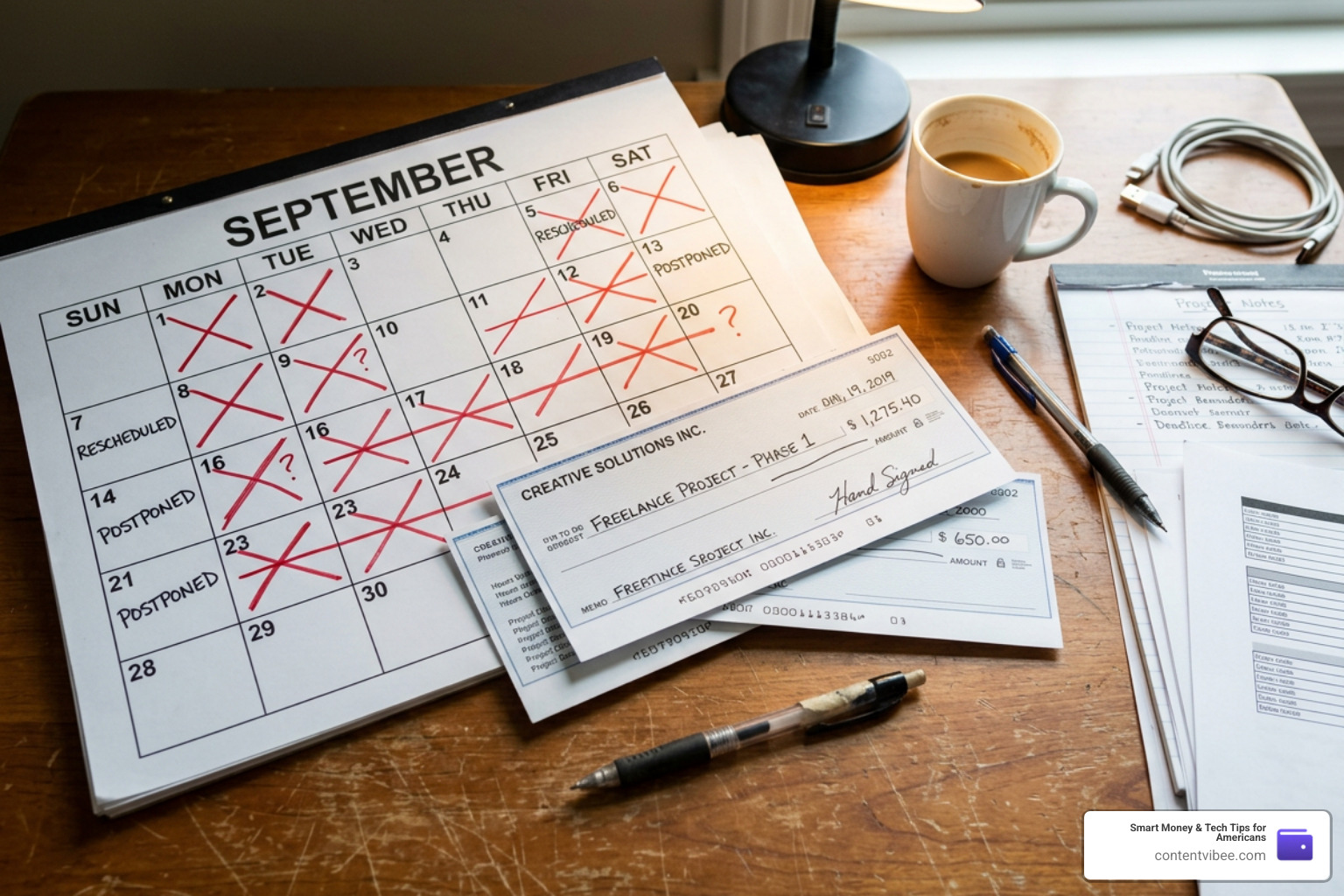
Freelancing can feel like financial Jenga. One month you pull in $9,000. The next, $1,200. No employer is setting aside your taxes. No HR department is reminding you about quarterly payments. And the budgeting app you downloaded? It was built for someone with a steady paycheck — not you.
The numbers make this real. Most freelancers earning between $40,000 and $100,000 per year need to set aside 25–35% of every payment just for taxes — that’s self-employment tax (15.3%) plus federal and state income tax on top. Miss that, and tax season stops being stressful and starts being expensive.
Traditional tools like Mint or basic bank apps track what you already spent. But freelancers need to know what’s safe to spend right now, what’s coming in next month, and how much to lock away before touching anything.
That’s exactly what this guide covers.
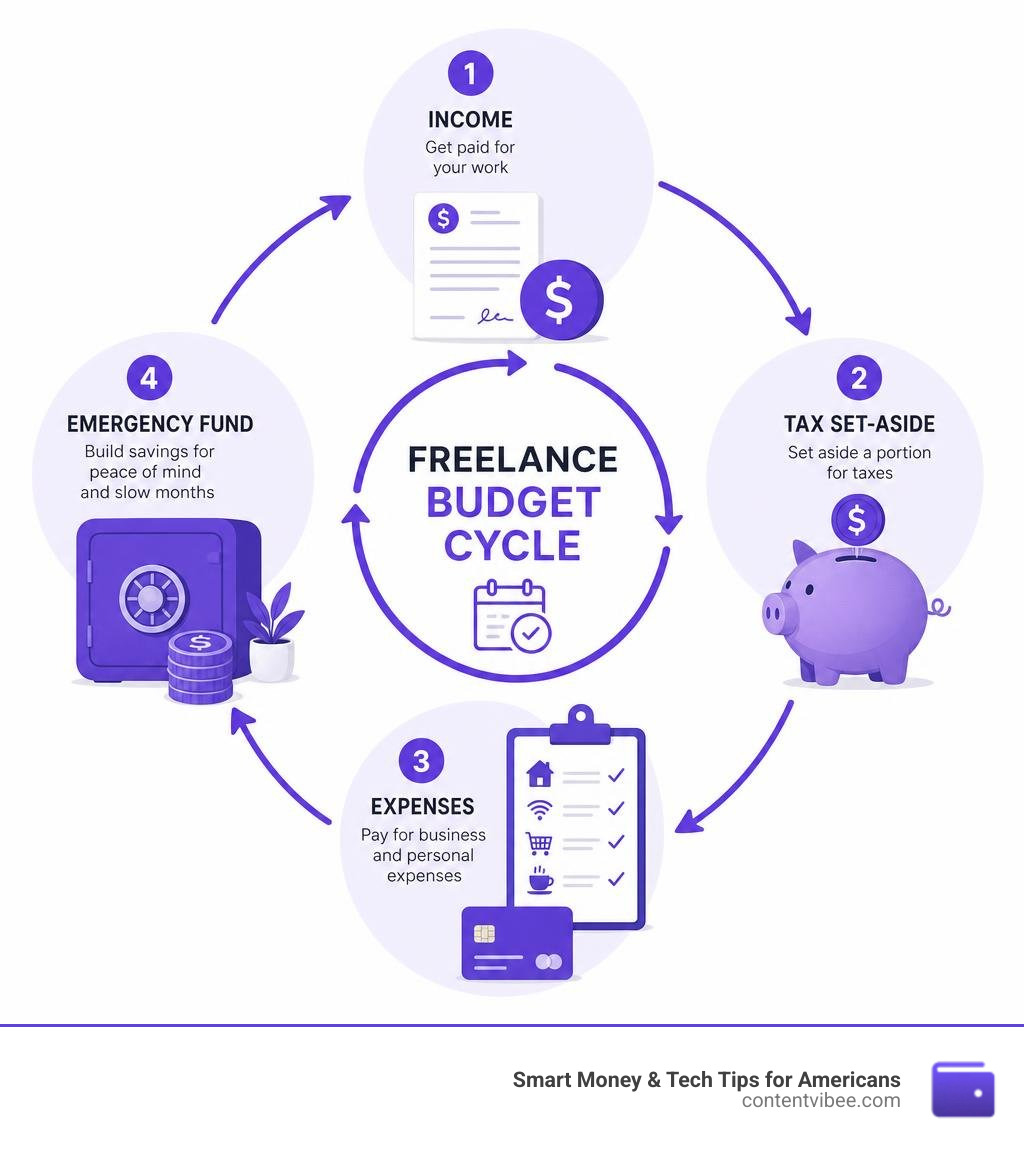
Quick look at budgeting apps for freelancers:
Why Traditional Financial Tools Fail the Self-Employed
Traditional budgeting tools were engineered for a world that doesn’t match the reality of self-employment. They assume you receive equal paychecks on the 15th and 30th of every month. When your income swings wildly from month to month, standard monthly budget limits break down entirely.
If a traditional app sees a $10,000 client payment land in your account, it celebrates your “massive surplus.” It doesn’t understand that $3,000 of that belongs to the IRS, $1,500 must cover next month’s dry spell, and $500 is earmarked for business software subscriptions.
Furthermore, traditional personal finance apps do not separate business expenses from personal spending. If you pay for web hosting, client dinners, and your home internet on the same card, standard apps lump them into generic categories. This makes tracking tax deductions a nightmare and completely skews your personal budget.
Without predictive cash flow forecasting, traditional apps can’t tell you your “runway”—the exact date your bank balance will hit zero if no new clients pay you. If you are just starting out, check out the Easiest Budgeting Apps to Kickstart Your Savings Journey to see how standard frameworks compare to the specialized systems we need as independent professionals.
The Best Budgeting Apps for Freelancers in 2026
To keep your business running smoothly, you need tools designed specifically to handle variable income, automate tax savings, and track business deductions. In 2026, the software market has evolved to offer highly specialized options. Whether you want automatic bank syncing or prefer local-first privacy, there is an app tailored to your workflow.
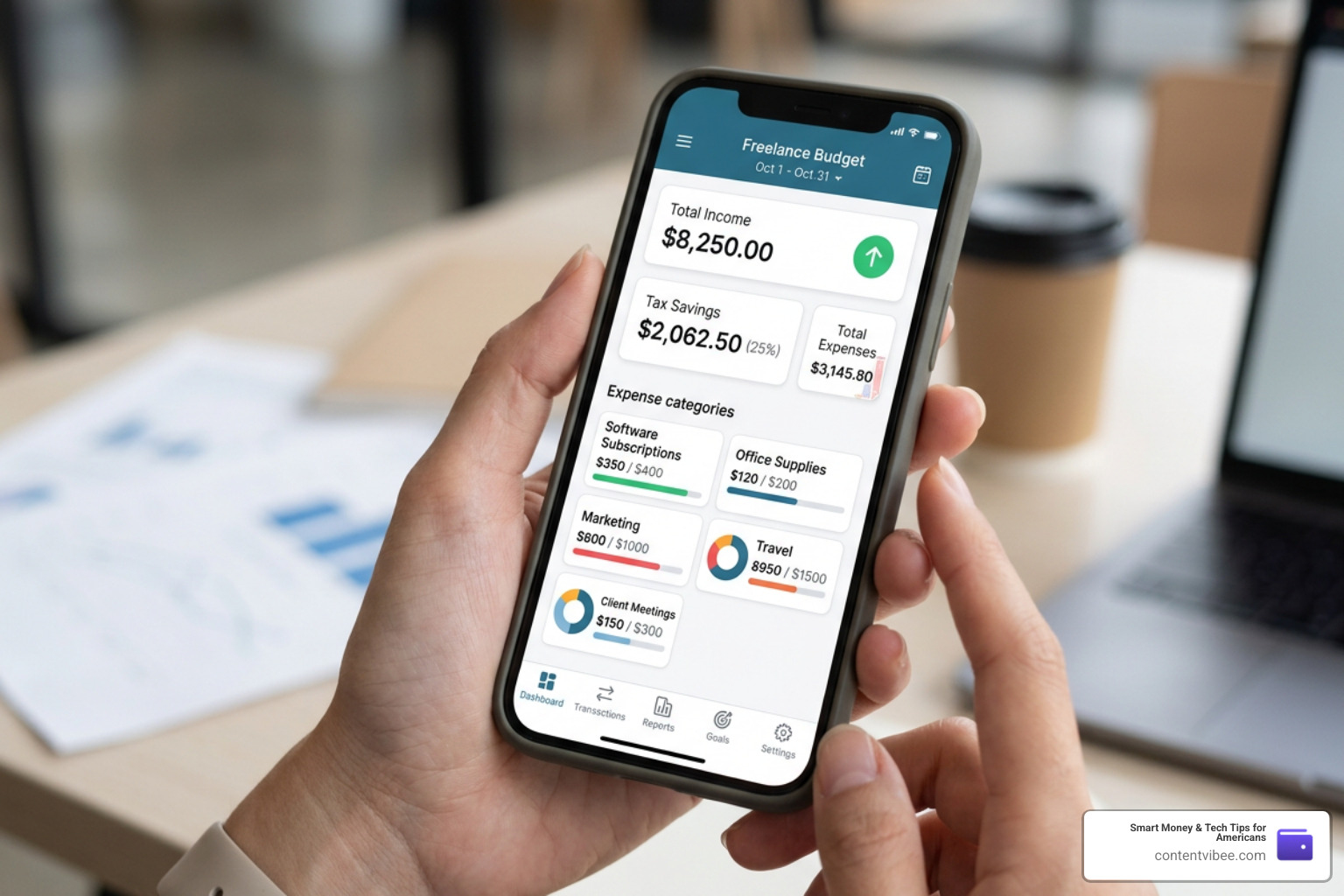
Balance Pro: Best of the Budgeting Apps for Freelancers with Irregular Income
Balance Pro is a standout choice because it tackles the exact challenges of variable income. Instead of forcing you into rigid monthly categories, it allows you to manage multiple accounts in one place and tag transactions as personal or business-related.
Its most powerful feature is the tax set-aside tracking. You can create a dedicated tax savings goal that calculates exactly what you need to set aside from every incoming payment.
- Key Features: Multi-account tracking, customizable income and expense categories, tax reserve goals, and CSV data exports for your accountant.
- Pricing: Premium is $47.99/year (perfect for manual entry and basic features); Ultra is $99.99/year (includes automatic bank sync and AI-powered receipt scanning).
- Best For: Solo freelancers who want a clear, unified view of their personal and business cash flow without the complexity of full-scale accounting software.
For a broader look at how these tools compare to standard personal finance options, check out the community discussion on What are the best budgeting apps to manage personal finances in 2024? .
SteadyCash: Forward-Looking Cash Flow and Runway Tracking
If your biggest fear is running out of money during a dry spell, SteadyCash is your solution. While most apps look backward at what you already spent, SteadyCash is built entirely to look forward.

SteadyCash calculates your “runway indicator”—a metric that tells you exactly how many months your current cash will last based on your average spending and projected bills.
- Key Features: Cash flow calendar, runway indicator, recurring transaction projections, and local-first data storage (your financial data stays private on your own device).
- Pricing: $70 one-time purchase (no recurring monthly subscriptions).
- Best For: Freelancers with highly cyclical or seasonal income who need to plan for “feast-or-famine” cycles.
Learn more about managing your cash flow calendar directly at SteadyCash — Cash Flow Management for Freelancers & Contractors .
Thistle: The Financial OS for UK Solo Professionals
For our readers operating in the United Kingdom, Thistle is an all-in-one financial operating system. It replaces a messy stack of invoice generators, mileage trackers, and spreadsheet templates with a single streamlined app.
- Key Features: Professional invoicing, automated client payment portals (via Stripe), AI receipt scanning, real-time HMRC tax intelligence, and compliance-ready mileage tracking (automatically applying the 45p/25p rules).
- Pricing: £9/month.
- Best For: UK-based self-employed professionals, contractors, and solo business owners who need to stay compliant with Making Tax Digital (MTD) regulations.
Explore their specialized solo-professional tools at Thistle – Invoice, Track Expenses & Calculate Taxes for the Self-employed .
LazeeFish: Envelope Budgeting and Paycheck Allocation
LazeeFish brings the classic “envelope budgeting” method into the freelance era. Traditional envelope apps fail when you don’t have a steady paycheck to fill the envelopes. LazeeFish solves this with “paycheck allocation templates.”
When a client payment arrives, you apply your custom template with one click. For example, a $4,000 payment can be instantly split: 30% to your Tax envelope, 30% to Housing, 10% to Savings, and the rest distributed to your spending categories.
- Key Features: Paycheck allocation templates, dedicated tax envelopes, and business transaction tagging.
- Pricing: $5/month ($50/year), making it one of the most affordable options on the market.
- Best For: Hands-on budgeters who love the control of zero-based envelope budgeting but need a system that adapts to irregular deposits.
MoneyWiz and Chronicle: Expense Tracking and Bill Reminders
Sometimes the best system is a combination of highly focused apps. Many independent professionals find stability by pairing MoneyWiz (for deep expense tracking and net worth visualization) with Chronicle (for managing bill due dates).
MoneyWiz offers robust multi-account syncing, multi-currency support, and beautiful visual charts that show exactly where your money goes. Meanwhile, Chronicle acts as an early-warning system for your bills. It sends proactive reminders, stores payment confirmation numbers, and helps you plan for annual or semi-annual software subscriptions so they never catch you off guard.
This multi-app strategy is highly recommended by self-employed experts. You can read a personal success story on how this system reduced tax prep time to under two hours in the article 5 Budgeting and saving apps that stabilized my freelance lif .
Additionally, if you want to explore more options to protect your hard-earned income, take a look at our guide on Top Budgeting Apps and Free Money Management Tools to Save Your Wallet.
Strategic Financial Planning for the Self-Employed
Budgeting as a freelancer is about more than tracking transactions; it is about building a sustainable business. To achieve true financial calm, you must connect your daily spending choices to your long-term goals.
How to Choose the Right Budgeting Apps for Freelancers
When evaluating different financial tools, we recommend looking for four non-negotiable features:
- Tax Set-Aside Automation: The app must make it easy to separate your tax liability the moment income arrives.
- Multi-Account Tracking: You need to see your business accounts and personal accounts in one dashboard without merging their balances.
- Flexible Categorization: Look for apps that let you tag expenses as “business-deductible” so you don’t have to hunt for them at tax time.
- Forward Projections: Choose a tool that models future cash flow based on your recurring expenses and pending invoices.
For expert tips on organizing your expenses, see the community recommendations on What are the best budgeting apps and tools for tracking expenses … .
If you are a student balancing freelance gigs alongside your classes, check out our guide on Smart Budgeting Apps to Keep College Students Out of Debt for tailored advice on managing variable student income.
Managing Quarterly Taxes and Emergency Funds
We recommend setting aside 25% to 35% of every invoice for taxes as soon as the client pays you. Put this money into a separate high-yield savings account that is completely off-limits for daily spending. This ensures you can confidently make your quarterly estimated tax payments (due in April, June, September, and January) without draining your operating capital.
Alongside your tax reserve, build a “buffer fund” (or emergency fund) of at least 3 to 6 months of essential living expenses. When you have a high-income month, resist the urge to lifestyle-creep. Instead, route the surplus directly into your buffer fund. During dry months, you can safely draw from this buffer to pay yourself a consistent salary.
Separating Business and Personal Expenses
The golden rule of self-employment is to never mix business and personal money. Even if you operate as a sole proprietor, open a separate business checking account and a dedicated business credit card.
Route all client payments to your business account, and pay all business expenses (software, equipment, marketing) from that same account. Then, pay yourself a regular “salary” by transferring a fixed amount from your business account to your personal checking account. This clean separation makes bookkeeping simple, protects you in the event of an audit, and ensures your budgeting app can accurately track your true personal cost of living.
Frequently Asked Questions about Freelance Budgeting
How much should freelancers set aside for taxes?
As a general rule of thumb, most US-based freelancers earning between $40k and $100k should set aside 30% of their gross income for taxes. This covers:
- Self-Employment Tax: 15.3% (which funds Social Security and Medicare).
- Federal Income Tax: Varies based on your tax bracket (typically 10% to 22% for this income range).
- State Income Tax: Varies by location (0% to 13%).
If you earn over $100k, we highly recommend consulting a CPA to adjust your specific quarterly withholding rate.
Is it better to use a budgeting app, a spreadsheet, or hire a bookkeeper?
The right choice depends on your business volume and budget:
- Budgeting Apps: Cost between $47.99 and $99.99 per year. They automate bank syncing and categorization, reducing your weekly admin time to minutes. This is the best value for solo freelancers.
- Spreadsheets: Free or low-cost, but they require 4 to 8 hours of manual maintenance every month and are prone to formula errors.
- Bookkeepers: Cost $300 to $800 per month ($3,600 to $9,600 per year). This is a great investment once you scale, hire subcontractors, or manage complex inventory, but it is usually unnecessary for solo service providers.
Can couples use these tools to manage joint freelance income?
Yes! Many modern personal finance platforms allow partner sharing or multi-user access at no extra cost. This is highly beneficial if one or both partners have irregular freelance income, as it allows you to coordinate household expenses around variable cash flows.
To learn more about aligning your household finances, check out our guide on How to Share the Load with the Best Budgeting Apps for Couples.
Conclusion
Managing your money as an independent professional doesn’t have to feel like financial Jenga. By stepping away from rigid, salary-focused tools and adopting dedicated budgeting apps for freelancers, you can take complete control of your cash flow. Whether you choose the tax-saving structure of Balance Pro, the forward-looking runway of SteadyCash, or the simple envelope templates of LazeeFish, the right system will save you hours of administrative stress and protect your business from cash crunches.
Ready to map out your path to financial freedom? Calculate your freelance savings goals with our Finance Calculator today and take the guesswork out of your monthly budget.


