


How a 401k Max Calculator Helps You Stop Leaving Money Behind
A 401k max calculator is one of the simplest tools you can use to make sure every dollar you’re eligible to save actually gets saved — before the year runs out.
Quick answer: How to calculate your 401(k) maximum contribution for 2026
| Your Age | Employee Contribution Limit | Total (Employee + Employer) |
|---|---|---|
| Under 50 | $24,500 | Up to $72,000 |
| 50-59 or 64+ | $32,500 ($24,500 + $8,000 catch-up) | Up to $80,000 |
| 60-63 | $35,750 ($24,500 + $11,250 super catch-up) | Up to $83,250 |
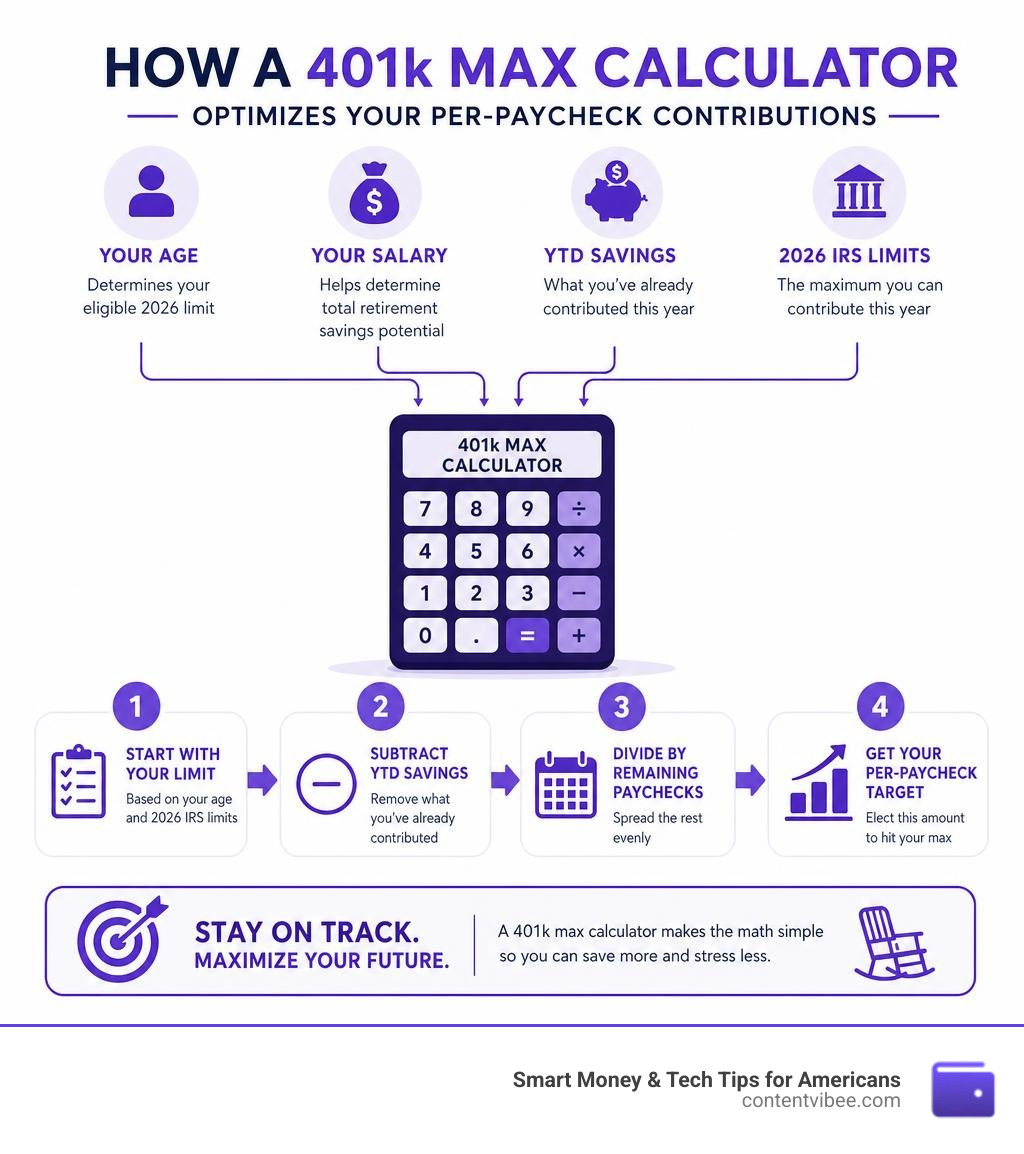
To find your per-paycheck contribution amount:
- Start with your annual limit based on your age above
- Subtract what you’ve already contributed this year
- Divide the remaining amount by your remaining paychecks
That’s the core math. But most people get tripped up somewhere in the middle.
Here’s the reality: 88.1% of 401(k) participants receive an employer match, averaging 4.7% of salary. Yet the median 401(k) balance across all ages is just $34,400 — a fraction of what most people need for retirement.
The gap between what people could save and what they actually save is often not about money. It’s about not knowing the exact number to put on a payroll form.
That’s exactly what a 401(k) max calculator solves. It takes your age, salary, pay frequency, and year-to-date contributions and turns them into one clear target: the dollar amount you need to elect on your next paycheck.
If you’re nearing retirement and trying to squeeze every possible dollar into tax-advantaged savings — especially with catch-up rules that changed under SECURE 2.0 — this guide walks you through every piece of the calculation.
What is a 401k Max Calculator and Why Do You Need It?
At its core, a 401k max calculator is a smart pacing tool. Think of it as a financial GPS for your retirement account. Instead of guessing a random percentage to contribute on your workplace portal, this tool tells you exactly how to pace your savings so you hit the IRS limit on your very last paycheck of the year.
Without a structured plan, most of us default to one of two extremes: we either under-contribute and leave valuable tax-advantaged space on the table, or we front-load too quickly and accidentally max out early. While maxing out early sounds like a high-class problem, it can actually cost you thousands of dollars in lost employer matching funds.
By calculating your exact contribution per pay period, you ensure a smooth, steady, and optimized savings rate. This consistent pacing is the engine behind tax-deferred compound growth. Over a multi-decade career, keeping your money growing steadily in the market is the most reliable way to build a robust nest egg. To get a broader look at your overall retirement target, you can Learn how to estimate your savings needs to see how your 401(k) pacing fits into your long-term wealth goals.
How a 401k max calculator Prevents Over-Contribution
What happens if you accidentally contribute more than the IRS-mandated limit? The IRS refers to this as an “excess deferral,” and they aren’t known for their relaxed attitude toward accounting errors.
If you over-contribute to your 401(k) and fail to correct it, you face the painful penalty of double taxation. The excess amount is taxed in the year you contribute it, and then it is taxed again when you withdraw it in retirement.
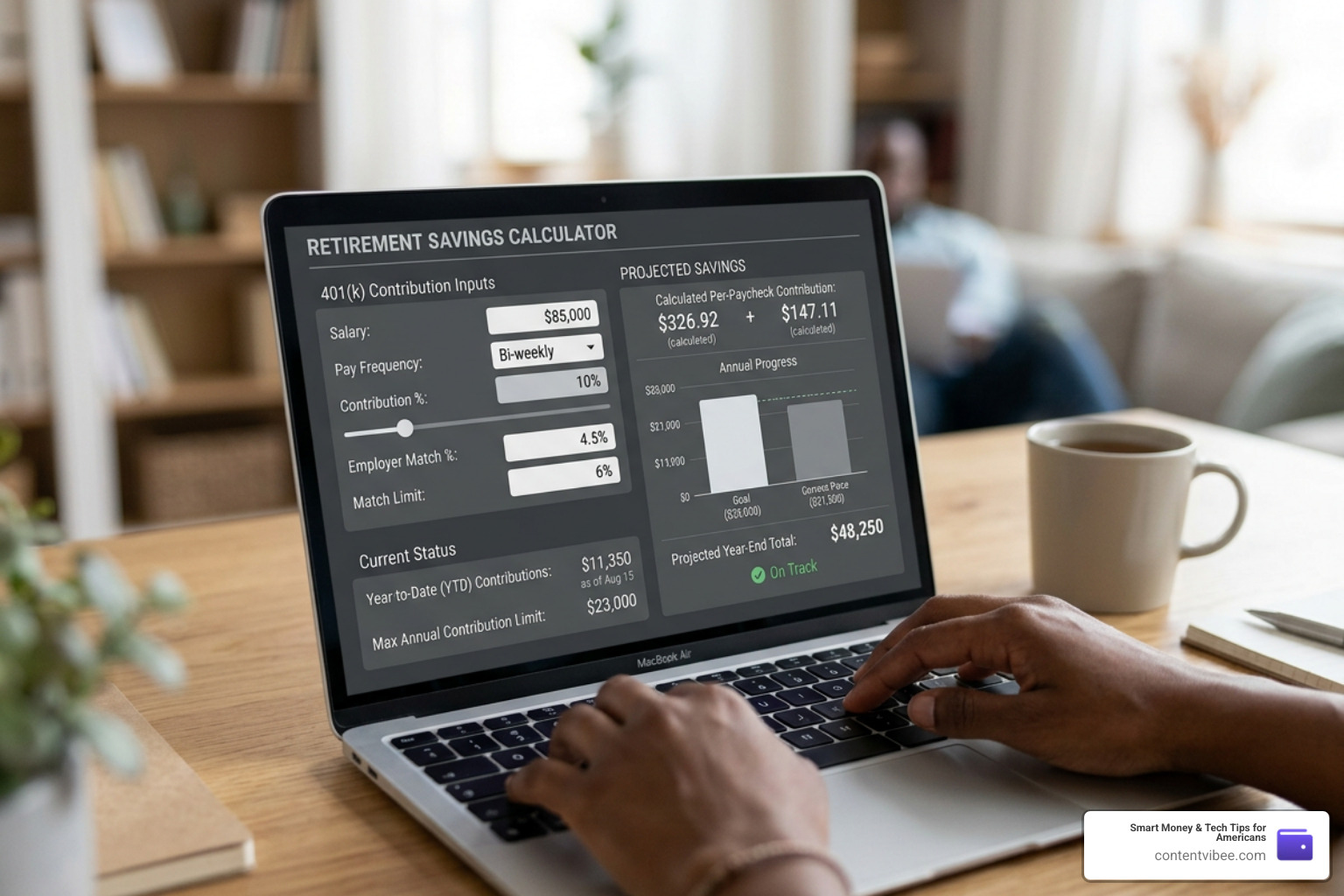
To fix this, you must request a corrective distribution from your plan administrator before April 15 of the following year. Your administrator will return the excess funds along with any investment earnings those funds generated. However, dealing with HR departments and tax forms to undo this mistake is a headache nobody wants. A 401k max calculator acts as a guardrail, ensuring your payroll elections are mathematically calibrated to stop precisely at the annual limit.
Maximizing Your Employer Match with a 401k max calculator
Employer matching contributions are quite literally free money. With nearly 90% of plans offering some form of match, failing to capture it is like turning down a guaranteed raise.
However, many employers calculate and distribute their match on a per-paycheck basis rather than as an annual lump sum. This means if you max out your personal contribution limit of $24,500 by October, you will contribute $0 to your 401(k) in November and December. Consequently, you will receive $0 in matching funds for those last two months of the year.
A 401k max calculator helps you avoid this trap by distributing your contributions evenly across all 12 months. This ensures you make a contribution on every single paycheck, successfully capturing 100% of the available employer match. Additionally, you should always check your employer’s vesting schedule — whether it’s a cliff vest (where you own the contributions after a set number of years) or a graded vest (where you gain ownership gradually) — to understand exactly when that matched money truly becomes yours.
Understanding 2026 IRS Limits and Catch-Up Rules
The IRS adjusts retirement contribution limits periodically to keep pace with inflation. For the 2026 tax year, the baseline employee contribution limit has increased to $24,500.
To help you visualize where you stand, here is a complete breakdown of the 2026 limits:
| Contribution Category | Age Bracket | 2026 Limit |
|---|---|---|
| Standard Employee Deferral | Under 50 | $24,500 |
| Standard Catch-Up Contribution | 50 to 59 | $8,000 (Total: $32,500) |
| Super Catch-Up Contribution | 60 to 63 | $11,250 (Total: $35,750) |
| Standard Catch-Up Contribution | 64 and Older | $8,000 (Total: $32,500) |
| Combined (Employee + Employer) | Under 50 | $72,000 |
| Combined (Employee + Employer) | 50 to 59 | $80,000 |
| Combined (Employee + Employer) | 60 to 63 | $83,250 |
To see how these limits play out in real-time, you can play around with the 401(K) Save the Max Calculator | Tools & Calculators to project your future growth based on these updated numbers.
Standard and Super Catch-Up Contributions in 2026
If you are 50 or older, the IRS allows you to make “catch-up” contributions to accelerate your retirement readiness. In 2026, the standard catch-up limit is $8,000, allowing workers aged 50 to 59 (and 64+) to save a total of $32,500.
However, thanks to the SECURE 2.0 Act, there is an exciting new tier known as the “super catch-up” for workers aged 60 to 63. If you fall into this specific age range in 2026, your catch-up limit increases to $11,250. This means you can defer a massive $35,750 of your salary into your 401(k).
Once you turn 64, your limit reverts back to the standard catch-up rate. This makes the ages of 60 to 63 a critical four-year window to maximize your retirement savings.
The SECURE 2.0 Roth Catch-Up Rule for High Earners
There is a major catch for high earners starting in 2026. Under the SECURE 2.0 provisions, if your FICA wages (your wages subject to Social Security tax) exceeded $150,000 in the prior calendar year (2025), all of your catch-up contributions must be made on a Roth (after-tax) basis.
This means you cannot use pre-tax dollars to fund your catch-up or super catch-up contributions. Instead, those dollars must be taxed now, allowing them to grow and be withdrawn completely tax-free in retirement.
Furthermore, if your employer’s specific 401(k) plan does not offer a Roth option, you will be legally barred from making any catch-up contributions at all. If you fall into this high-earner category, it is vital to contact your HR department immediately to confirm that your plan supports Roth contributions so you don’t lose out on this savings capacity.
Traditional vs. Roth 401(k) and After-Tax Strategies
Choosing between traditional and Roth contributions is one of the most critical decisions in tax planning.
- Traditional 401(k): You contribute pre-tax dollars, which reduces your adjusted gross income (AGI) today. Your money grows tax-deferred, and you pay ordinary income tax on your withdrawals in retirement.
- Roth 401(k): You contribute after-tax dollars. You get no tax break today, but your contributions and all investment growth are withdrawn 100% tax-free in retirement.
This decision comes down to “tax bracket arbitrage.” If you are currently in your peak earning years and expect to be in a lower tax bracket during retirement, traditional contributions are usually superior. If you are young, early in your career, or expect tax rates to rise significantly in the future, paying taxes now via a Roth 401(k) is highly advantageous. To better understand how your balance grows under different tax treatments, you can Explore 401k balance math. Additionally, as you plan your eventual exit from the workforce, it is helpful to look at how these tax choices affect your retirement income by Demystifying The 4 Percent Retirement Withdrawal Calculator.
After-Tax Contributions and the Mega Backdoor Roth
If you have already maxed out your standard employee deferrals ($24,500 in 2026) and still want to save more, your plan might allow “after-tax” contributions. These are distinct from Roth contributions.
While Roth contributions are capped under the $24,500 limit, after-tax contributions can be made all the way up to the IRS Section 415(c) annual additions limit, which is a whopping $72,000 in 2026.
By contributing after-tax dollars and utilizing an “in-plan conversion” or “in-service distribution,” you can immediately move those after-tax contributions into a Roth 401(k) or Roth IRA. This advanced strategy, known as the Mega Backdoor Roth, allows high-income earners to shield an extra tens of thousands of dollars from future taxes. To learn how to execute this strategy safely, read our guide to Maximize your retirement nest egg with after-tax strategies.
Solo 401(k) vs. Traditional Employer Plans
If you are a sole proprietor, freelancer, or single-member LLC owner, you have access to one of the most powerful retirement vehicles in existence: the Solo 401(k).
Unlike a traditional corporate 401(k) where you are simply an employee, a Solo 401(k) allows you to act as both the employee and the employer. This dual role dramatically increases your savings potential.

As an employee, you can make elective deferrals up to the standard limit of $24,500 (plus catch-ups if eligible). As the employer, you can make a profit-sharing contribution of up to 25% of your business’s net adjusted income.
However, calculating these contributions can be tricky. For sole proprietors, the IRS requires a “circular calculation.” You must reduce your net business profit by the deductible portion of your self-employment tax before calculating your 25% employer contribution. Because your retirement contribution and your tax deduction depend on each other, you must use a reduced contribution rate (typically 20% of net self-employment earnings) to find your actual limit. Using a specialized Solo 401(k) calculator is essential to ensure you do not over-contribute and trigger IRS penalties.
How to Translate Calculator Results into Payroll Elections
Once you run your numbers through a 401k max calculator, you will receive a recommended per-paycheck dollar amount or percentage. To turn these results into actual savings, follow this step-by-step checklist:
- Gather Your Latest Paystub: Locate your year-to-date (YTD) elective deferrals. Do not include employer matching funds or mandatory contributions in this number.
- Identify Your Remaining Pay Periods: Count how many paychecks you have left in 2026.
- Input Data into the Calculator: Enter your gross salary, pay frequency, YTD contributions, age, and your employer’s matching formula.
- Review the Output: The calculator will output a specific dollar amount or percentage required for the rest of the year.
- Log Into Your Benefits Portal: Open your workplace payroll platform (such as ADP, Workday, or NetBenefits).
- Update Your Deferral Election: Adjust your contribution to match the calculator’s recommendation. If your plan only allows whole percentages, round up to the nearest percent to ensure you hit your target.
- Set a Reminder: Put a calendar invite on your phone for October to review your pacing and make sure you are still on track to hit your goal without over-contributing.
Frequently Asked Questions about 401(k) Maximization
Does the employer match count toward my personal $24,500 limit?
No. The $24,500 limit (for 2026) applies strictly to your personal employee elective deferrals (both pre-tax and Roth). Employer matching contributions and non-elective profit-sharing contributions do not count toward this limit. Instead, they count toward the much larger Section 415(c) “annual additions” limit, which is $72,000 for those under age 50 in 2026.
What happens if I accidentally contribute too much to my 401(k)?
If you exceed the annual limit, you must notify your plan administrator immediately. They must distribute the excess contribution and any associated earnings to you by April 15 of the following year. If you miss this deadline, you will face double taxation: you will pay income tax on the excess amount in the year it was contributed, and you will pay tax on it again when you withdraw it.
How does a mid-year job change affect my contribution limits?
The employee contribution limit ($24,500 in 2026) is per person, not per job. If you switch employers mid-year, your new employer’s payroll system will not know how much you contributed at your old job. You must manually calculate your remaining contribution room and set your new payroll elections accordingly to keep your savings on the right track.
Conclusion
Maximizing your 401(k) is one of the most effective ways to secure your financial future, but it requires careful pacing and an understanding of the latest IRS rules. By utilizing a 401k max calculator, you can ensure that you capture every dollar of your employer match, avoid IRS over-contribution penalties, and fully leverage the new SECURE 2.0 catch-up provisions.
At ContentVibee, we are dedicated to helping you navigate the complexities of personal finance with clear, actionable strategies. Once you have optimized your workplace savings, take the next step in your planning: Estimate your monthly retirement benefits to see how your hard work today translates into reliable income tomorrow. Ready to build your complete retirement roadmap? Take control of your retirement planning today!